
It usually starts with a simple thought: "I want a website for my business." Almost immediately, that thought spirals into overwhelming questions. You might find yourself searching for how to build the best business website, wondering about the complexities of a business website maker, or trying to puzzle out the domain create website process.
Perhaps you have heard you can create a website for my business with AI to get it done in record time. Or maybe you are leaning toward trying to create a free website for my business with Google to save on upfront costs.
You are absolutely not alone in asking these questions. Every growing business eventually hits a ceiling where relying completely on social media profiles is no longer viable. Social media is essentially rented space. If you want to build lasting brand equity, you need a digital platform you actually own and control.
This guide is designed to remove the technical confusion and provide a deep, actionable roadmap for establishing your foundational online presence.
Why Every Business Needs a Website in 2026
Think about your own habits as a consumer. When you hear about a new local service or an interesting brand, what is the very first thing you do? You look them up online. If a potential customer searches for your company and finds nothing but a sparse directory listing or an inactive social page, their confidence in your professionalism drops significantly.
A dedicated website serves as the central hub of your entire operation. It builds immediate credibility, allowing you to control exactly how your products, services, and brand narrative are presented to the world. A well-crafted site works around the clock. It acts as your most dedicated employee by answering common questions, capturing warm leads, and facilitating sales even while you are asleep. Crucially, it gives you a presence on search engines, making it possible for people who need your services to organically discover you.
I Want a Website for My Business: Where Do I Start?
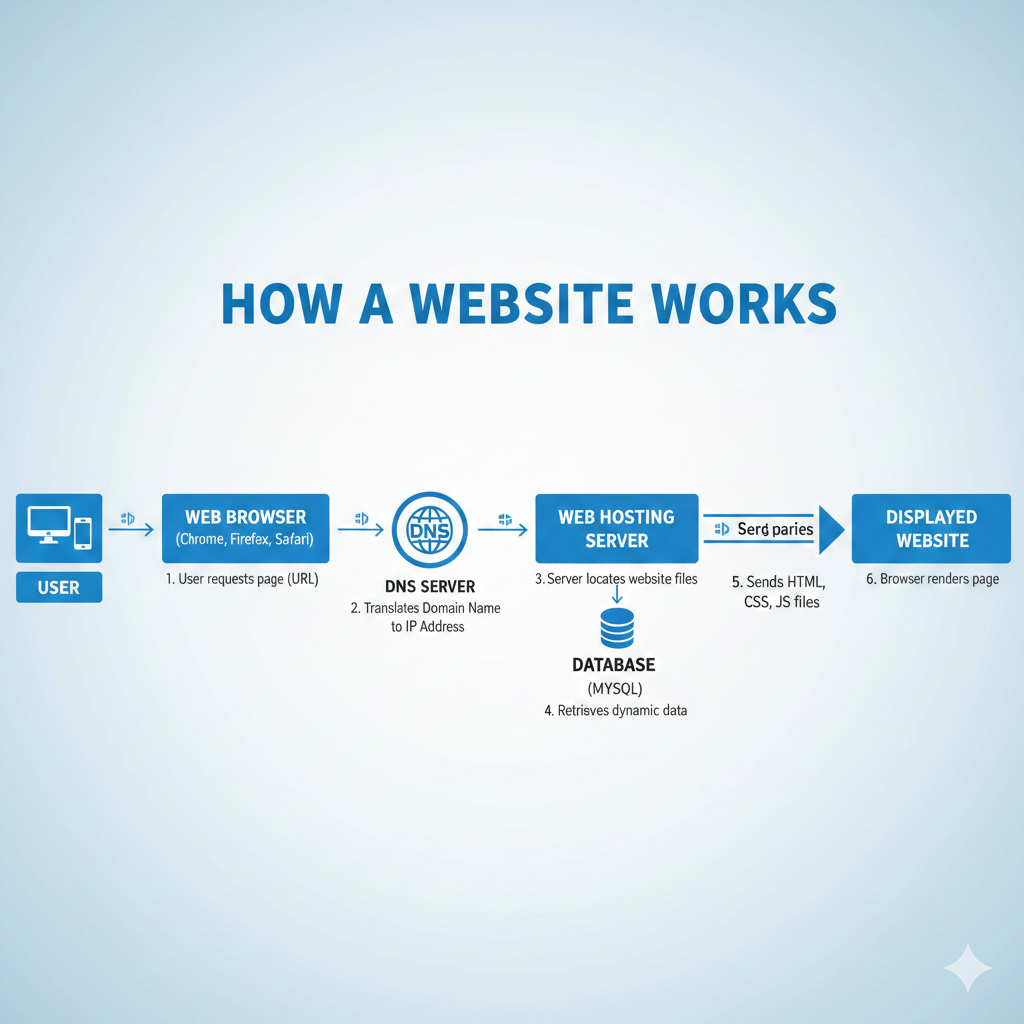
When business owners first begin this journey, the technical jargon can feel paralyzing. However, beneath all the industry buzzwords, every website requires just three fundamental components to exist on the internet.
1. Domain Name
Your domain name is your permanent address on the web. It is the specific URL people type into their browser, like yourbusiness.com. Choosing the right domain is a critical branding exercise. It needs to be memorable, reasonably short, and easy to spell. If you have to spell it out letter by letter for someone over the phone, it is likely too complicated. Avoid inserting numbers or hyphens, as they only add unnecessary friction for your future visitors.
2. Hosting
If your domain is your street address, hosting is the actual plot of land where your digital storefront sits. It is the physical server space that stores your images, text, and code so they can be accessed globally at any time. Depending on the route you take, hosting might be managed for you automatically, or you might need to purchase it separately from a provider.
3. Website Builder or Platform
The platform is the software you use to construct and manage the site. This is where the sheer number of choices can cause decision fatigue. Understanding your options here is the most important step in the planning phase.
Create a Website for My Business with AI
One of the most frequent inquiries from new founders lately is whether they should use artificial intelligence to speed up the process. AI generation tools are seeing massive adoption because they promise an almost instant setup, which is highly appealing if you are overwhelmed by design decisions.
How AI Website Builders Work
The setup sequence is remarkably conversational. You provide your company name, select your exact industry, and feed the AI a brief description of what you do and who you serve. Within seconds, the software generates a complete layout, drafts initial copy, and places relevant stock imagery. It effectively eliminates the intimidation of staring at a blank screen.
While the speed is undeniably impressive, it is essential to understand the inherent trade-offs. The resulting designs often feel a bit generic because they are assembled based on broad industry averages rather than your unique brand identity. Furthermore, deep customization can be frustrating if you need the website to handle specific logical flows or complex database structures. AI tools are wonderful for getting a temporary launchpad off the ground quickly, but they usually require significant human refinement, such as applying premium positioning strategy, to truly resonate with an audience and rank well in search engines.
Create a Free Website for My Business with Google
For those operating on a strict zero-dollar budget, Google provides accessible, genuinely free tools. Options like Google Sites or the basic builder provided within your Google Business Profile allow you to establish a footprint without spending a single rupee.
The value here is evident. You receive reliable hosting and straightforward templates at no cost, and they integrate smoothly within the broader Google ecosystem. It is an excellent way to test an early-stage concept or secure a basic landing page while you plan a larger project.
However, free platforms inherently come with strong limitations. You will not have access to advanced design customization or granular control over search engine optimization factors. More importantly, you generally cannot use a custom domain name natively without upgrading, which means you miss out on the professional branding a dedicated dot-com provides. Treat free options as a sandbox for experimentation rather than a permanent home for a serious growing enterprise.
Domain Create Website: Step-by-Step
If you have outgrown the limitations of free tools and are ready to invest in a robust, scalable foundation, the implementation process follows a logical sequence.
The first step is securing your domain. Always prioritize securing the .com extension if it is available, as it carries the most inherent trust. The second step involves matching your chosen platform with appropriate hosting. For instance, if you choose WordPress, you will need to secure a reliable third-party hosting environment. If you opt for an all-in-one platform like Webflow or Shopify, the hosting is seamlessly integrated into your monthly subscription.
The third and most crucial step is designing your core pages. A high-converting site must cleanly outline who you are, what specific services you offer, and how a customer can contact you or make a purchase. Integrating a blog is also a structurally powerful move, as it allows you to continually publish content that captures search engine traffic over time.
Business Website Maker: Which Type Should You Choose?
The market handles website creation through a few distinct methodologies, each tailored to different technical comfort levels and long-term goals. Making the wrong choice here often results in having to rebuild the entire site from scratch a year later. Let's explore the three primary categories.
1. Drag-and-Drop Builders
Platforms offering intuitive visual interfaces are incredibly popular among independent professionals who want to avoid code completely. You simply click an element (like a text box or an image) and drag it exactly where you want it to go on the screen. They are fantastic for beautiful portfolio sites or straightforward service businesses.
Top Platforms & Comparison:
Wix
Known for extreme design freedom, allowing you to place elements anywhere on a blank canvas.
- Pros: What you see is exactly what you get (WYSIWYG editing). Tremendously fast to launch a beautiful, basic site. Massive app market for easy integrations.
- Cons: You cannot change templates once the site is live without starting over. The absolute freedom means the mobile version often requires tedious manual adjustment.
Squarespace
Famous for stunning, award-winning templates that automatically look professional by restricting layout freedom slightly.
- Pros: It is almost impossible to make an "ugly" site due to its structured layout grid. Excellent built-in SEO basics and beautiful image rendering. Zero server maintenance required.
- Cons: Less design flexibility than Wix. It can feel rigid if you have a highly specific layout in mind. You are renting the platform; if you leave, you cannot easily export the design.
Webflow
A hybrid tool that gives the visual interface of a builder but exports clean, professional code.
- Pros: Unmatched design customization that produces incredibly fast, semantic HTML and CSS. Robust CMS capabilities for handling complex databases without writing backend code.
- Cons: A steep learning curve; you must fundamentally understand the CSS box model to use it effectively. Higher pricing tiers compared to basic consumer builders.

2. CMS Platforms
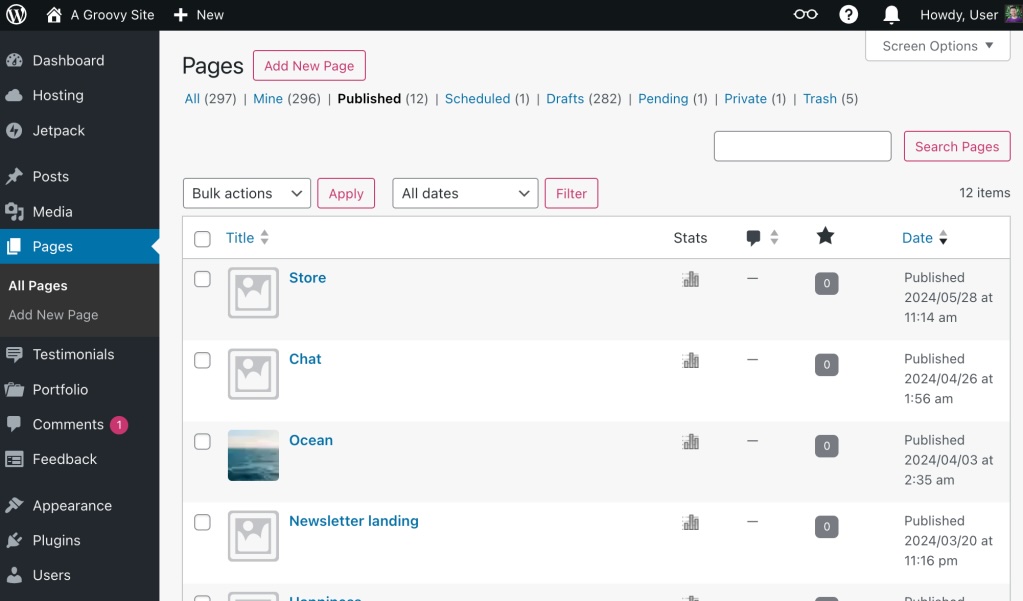
A dedicated Content Management System (CMS) separates your content from your design. You maintain absolute control over the updates, the code, and the hosting environment. The undisputed industry standard here is WordPress, which powers over 40% of the entire internet.
Top Platforms & Comparison:
WordPress.org
The open-source powerhouse powering over 40% of the internet. It boasts hundreds of thousands of themes and plugins to build virtually anything.
- Pros: Unparalleled ownership; you own your code and can move your site to any hosting provider. Infinite scalability and flexibility to add complex functions (booking systems, membership platforms). Granular, stellar SEO control.
- Cons: Requires ongoing manual maintenance to update core software and plugins to avoid security vulnerabilities. Steeper initial technical curve to set up hosting and domain connections.
Ghost
A modern, ultra-fast alternative explicitly designed for independent publishers, writers, and newsletters.
- Pros: Lightning-fast performance out of the box. Beautifully clean interface focused entirely on content creation. Native membership and paid newsletter functionality built right in.
- Cons: A much smaller and limited theme and plugin ecosystem compared to WordPress. Not ideal for highly custom web applications or massive e-commerce setups.
(Looking to build specifically for the hospitality sector? Check our detailed guide on how to make a website for restaurants.)
3. E-commerce Platforms
If your primary business model involves selling physical goods, processing high volumes of transactions, and managing shipping logistics, specialized e-commerce platforms are mandatory. While you can add a shopping cart to a standard builder, dedicated platforms are built from the ground up to handle money natively.
Top Platforms & Comparison:
Shopify
The global standard for dedicated e-commerce. It effortlessly handles everything from boutique stores to massive international retailers.
- Pros: Purpose-built for sales with native, highly secure handling of complex payment gateways. Advanced inventory tracking, detailed shipping rate calculations, and tax compliance built right in. A massive ecosystem of revenue-boosting apps.
- Cons: Monthly plugin subscriptions can cause baseline costs to escalate quickly. You will pay additional transaction fees on every sale unless you use their proprietary payment gateway (Shopify Payments). Rigid URL structures can frustrate advanced SEO specialists.
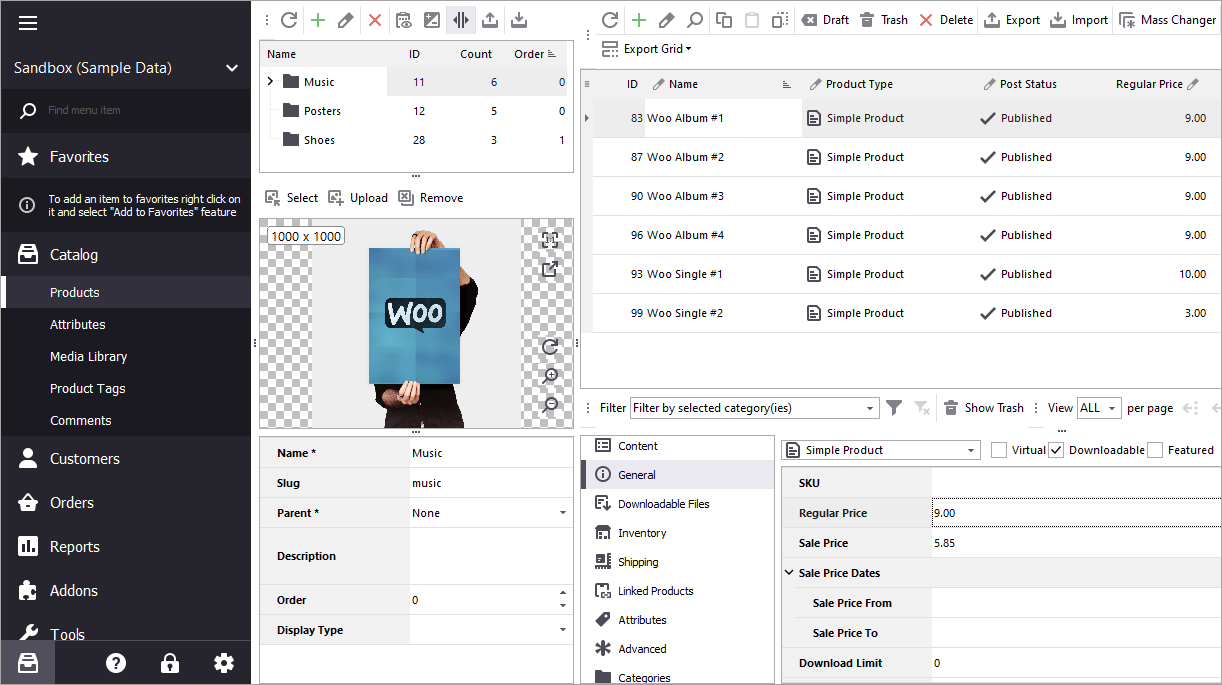
WooCommerce
A robust, free plugin that turns a WordPress site into a fully functional online store, offering maximum data control.
- Pros: Free to install with ultimate control over store data and customer experience. Incredible flexibility to blend a robust content blog with a massive store seamlessly without platform limitations.
- Cons: You remain entirely responsible for server security and speed; scaling up to handle thousands of concurrent shoppers requires expensive, robust specialized hosting. Requires technical confidence to manage potential plugin conflicts.
Best Business Website: What Actually Makes It "Best"?
There is a widespread misconception that a great website requires extravagant visual animations, complex interactions, and flashy design trends. In reality, the most successful business websites prioritize fundamental user experience and remarkably clear communication.
An effective site loads quickly, respecting the user's time. It features a clean, professional aesthetic that does not distract from the core message. Most importantly, it clearly articulates the exact value you provide to the customer. If a visitor lands on your homepage and cannot immediately discern what specific problem you solve and why they should care, they will simply close the tab.
How to Structure a High-Converting Business Website
Regardless of your industry, a logical flow of information is essential for guiding a visitor toward becoming a paying client. A strong homepage typically follows a predictable narrative arc.
Hero Section
This is the very top of your page. It requires a strong, unambiguous headline that states your primary benefit, paired with a prominent call to action button directing them to take the exact next step.
Problem Section
Directly below the hero, the page should dive into the specific problems or pain points your target audience experiences. This demonstrates empathy and shows that you understand their struggles deeply.
Solution Section
Once you have established that connection, you present your specific services or products as the clear, inevitable solution to the problem you just described.
Social Proof
Trust is built through verification. This section should highlight authentic client testimonials, detailed case studies, or recognizable logos of notable companies you have successfully worked with.
Final Call to Action
The page must conclude with a clear, direct instruction. Tell the user exactly how to engage with your business, whether that is booking a consultation, submitting a form, or completing a purchase.
Free vs Paid Website: The Reality
The reality of the situation is quite straightforward. A free website is an excellent environment for testing concepts and learning the ropes. However, the lack of branding control and SEO limitations act as a hard cap on your long-term growth.
A paid website gives you a professional, standalone presence. It significantly improves your search visibility and functions as a long-term, appreciating digital asset. If you are genuinely serious about scaling your operations, you must view a website not as an annoying expense, but as core business infrastructure required for modern success.
Common Mistakes When Creating a Business Website
Many early-stage websites share similar structural flaws. The most frequent errors involve having no clear target audience, which leads to weak, feature-focused copywriting that fails to resonate. Another common trap is utilizing an overcrowded, disorganized visual design that confuses visitors rather than guiding them.
Furthermore, businesses often launch beautiful websites but ignore foundational on-page SEO, meaning no one can find the site in the first place. Failing to prioritize mobile optimization is equally disastrous, given that the majority of web traffic is now heavily mobile. Finally, the most tragic mistake is forgetting to include a clear, commanding call to action, leaving interested visitors unsure of what to do next.
Final Summary
Building a website is not merely an administrative chore; it is the process of constructing an asset that will compound in value over time. While social media algorithms change unpredictably, a domain and website you own serve as a permanent, reliable anchor for your entire business strategy.
The technical hurdles are lower today than they have ever been. Choose the platform that aligns with your current technical comfort and budget, launch a clean, functional version of your site, and commit to improving it iteratively. Focused, consistent execution will always outperform perfectionism.